Most phone photos and videos are taken at arm's length with the phone held in one hand. That works for a quick picture, but it limits what the phone can do: shots in low light come out soft, video wobbles with every step, and anyone holding the phone is never in the picture. A tripod, a selfie stick, a gimbal or a small rig changes that. This guide explains what each one does, which kind suits which kind of filming, and the small extras, such as remote shutters, that make them work.
Holding a phone steady
A phone camera needs light, and in dim light it keeps its shutter open longer to collect enough. The longer the shutter is open, the more any movement of the hand shows as blur. Phones work hard to hide this: they take several frames and combine them, and they have stabilisation built in that moves the lens or the sensor a tiny amount to cancel small shakes. That is why a phone does so well handheld. But the built-in stabilisation works on a very small scale, and it can only do so much.
Holding the phone still in some other way helps in four situations.
- Low light and night shots. A phone held perfectly still can use a longer exposure, and night modes often take a better picture when they detect the phone is on a tripod.
- Being in the picture. A group photo with everyone in it, a family picture at the beach, or a video of yourself talking all need the phone held by something other than a hand.
- Video that moves. Walking, running after children or filming from a moving bike or boat shakes the picture far more than built-in stabilisation can cancel. Phones can also smooth video digitally, but that works by cropping in on the picture, which loses some of the view.
- Long recordings. Time-lapses, video calls, filming a lesson, a talk or a recipe, and streaming all need the phone to stay in the same place for minutes or hours.
Each kit in this guide answers one or more of those. A tripod keeps the phone still. A selfie stick puts it further away. A gimbal keeps it smooth while you move. A rig gives you somewhere to fix a light or a microphone. Many people end up with two of them.
Which to buy first
For most people, the first buy is a small tripod or a selfie stick with tripod legs. It costs the least, packs the smallest and solves the two most common problems: night photos and getting everyone in the picture. Add a gimbal if you find yourself filming while walking and wishing the video were smoother, and a rig once you are adding lights and microphones. Someone who makes videos at home, for work or for social media, usually gets more from a tall tripod and a light than from a gimbal, because most of that filming happens in one place.
How a phone fits a tripod
Cameras and tripods share a standard screw thread, set out in ISO 1222, the international standard for tripod connections. The small size, a quarter of an inch, is the one used on most cameras, quick-release plates and small tripod heads; the larger three-eighths size is found on bigger tripod heads and legs. A phone has no thread of its own, so it goes into a phone clamp: a sprung holder that grips the phone's sides and has the quarter-inch thread underneath. Most phone tripods and selfie sticks come with a clamp, and a separate one lets you put a phone on any camera tripod. When you buy a clamp, check its width range against your phone in its case.
Mini, flexible and tall tripods
Phone tripods come in three main kinds, and the right one depends on where the phone needs to be. All of them are in phone tripods.
Mini tripods
A mini tripod is a small set of legs that stands on a table, a wall or a rock. It packs into a bag or a coat pocket, and it is the easiest way to get steady night shots, group photos on a timer and video calls at a sensible height on a desk. Many fold into a handle when closed, so the same thing works as a short grip for filming handheld. The limit is height: on a table it puts the phone at chest level for someone sitting, and on the floor it shoots from the ankles.
Flexible tripods
A flexible tripod has legs made of bendable segments that you can wrap round a post, a branch, a railing or a bike handlebar, or bend to stand level on uneven ground. It is the one to take walking and travelling, because it turns almost anything into a place to put the phone. The legs need to be wrapped firmly and checked before you let go, and they hold best when wrapped one way and then the other. Heavy phones in thick cases strain them, so look at the stated weight on the product page.
Tall tripods
A tall tripod has extending legs and a centre column, and stands at head height or above. It is the one for filming yourself standing up, recording a talk, a dance, a workout or a product demonstration, and for anyone who streams or makes videos regularly. Many have a head that tilts and turns, so the phone can be set upright or on its side and angled just right. Tall tripods take more space and need more care: spread the legs fully, extend the thicker sections before the thinner ones, and in wind or on a slope hang a bag from the centre hook, if it has one, to keep it from tipping.
Upright or on its side
Think about which way the phone will face. Short videos for social media are usually filmed upright; films and photos to watch on a television are usually on their side. A clamp that turns, or a tripod head that tips over, lets you switch without taking the phone out.
What to look for in any tripod
- The height you need. Think where the phone will be: on a desk, on the floor, at eye level standing. The product page gives the folded and extended heights.
- Weight it can hold. A phone in a heavy case, with a light or a clip-on lens on top, weighs more than the phone alone.
- Locks you can work quickly. Flip locks and twist locks both work; what matters is that they hold firmly and you can open them with cold hands.
- Feet that grip. Rubber feet suit floors and tables; some tall tripods have spikes for grass.
- A clamp that fits. Check the clamp's width against your phone in its case, and that it does not press the side buttons.
Selfie sticks, with and without a remote
A selfie stick is an extending pole with a phone clamp at one end and a handle at the other. Its job is to put the phone further away than your arm can reach, so a selfie fits more people and more of the view, and the arm holding the phone is not the biggest thing in the picture.
With a remote
Most selfie sticks now come with a small Bluetooth remote, either built into the handle or as a button that clips off. It pairs with the phone once, like any Bluetooth device, and then takes the photo when pressed. Without a remote, you rely on the phone's timer, which is slower and means guessing when it will fire.
Selfie sticks that are also tripods
Many sticks have small legs folded into the handle that open out to make a short tripod. These are a good first buy for travel, because one thing does both jobs: a stick for selfies at a viewpoint and a tripod for a group photo at dinner. As a tripod, they are lighter and less steady than a proper one, so use them on a firm, flat surface and keep them short, especially outdoors in wind.
Using one considerately
A stick at full length reaches into other people's space. Many stadiums, arenas and festivals list selfie sticks among the things they do not allow in, Wembley Stadium and the Emirates Stadium among them, and an event's own list can be stricter than the venue's. Check the venue's own list before you go. Anywhere busy, keep the stick short and look around before you swing it.
Gimbals and when you need one
A phone gimbal is a handle with motors in it that hold the phone level while your hand moves. Sensors feel each movement and the motors push back the other way, many times a second, so walking, turning and following someone produces smooth video rather than a wobbly one.
The three axes
Most phone gimbals work on three axes: pan (turning left and right), tilt (pointing up and down) and roll (tipping to one side). A motor on each holds the phone steady in that direction. The phone's own stabilisation copes with small shakes; a gimbal copes with the big movements of walking, running and turning, which is why it makes such a difference to video shot on the move.
Do you need one?
A gimbal is worth it if you film moving video often: walking tours, children and pets on the move, property and product videos, weddings, travel films and anything you will share as a finished film. If you mostly take still photos or film from one place, a tripod does more for less. Modern phones smooth handheld video well enough for most everyday clips, so a gimbal earns its place when you want the steady, gliding look that a phone on its own cannot give.
Choosing and using one
- Weight. Each gimbal has a weight range for the phone. A phone above it, or one in a thick case or with a clip-on lens, will not balance and the motors will struggle.
- Balance. Before you switch it on, the phone is slid in the clamp until it sits level by itself. A balanced phone saves the battery and the motors.
- Modes. Most gimbals have a mode that follows your turns smoothly and a mode that locks the phone in one direction while you move. Many also work with an app that follows a face as it moves.
- Folding and charging. Many fold small for a bag, and most charge by cable like the phone. Charge it before a day out.
Filming smoothly with one
A gimbal steadies the phone, but your steps still show as a gentle bounce. Walk with your knees slightly bent and roll from heel to toe, hold the gimbal with your elbow tucked in, and turn your whole body rather than flicking your wrist. Start and end each shot by holding still for a second or two, which makes the clips easier to join.
Phone rigs and cages
A phone rig or cage is a frame that goes round the phone, with handles, screw threads and small mounting shoes round its edge. It turns the phone into something closer to a video camera: you hold it with two hands, and you can fix a light, a microphone and the phone to one frame so they move together.
Who uses a rig
Rigs are for people who film regularly and want more than the phone alone gives: interviews, short films, music videos, vlogging and filming products. The two handles alone make handheld video steadier than holding a phone by its edges, and a rig sits on any tripod by the standard thread underneath.
What goes on it
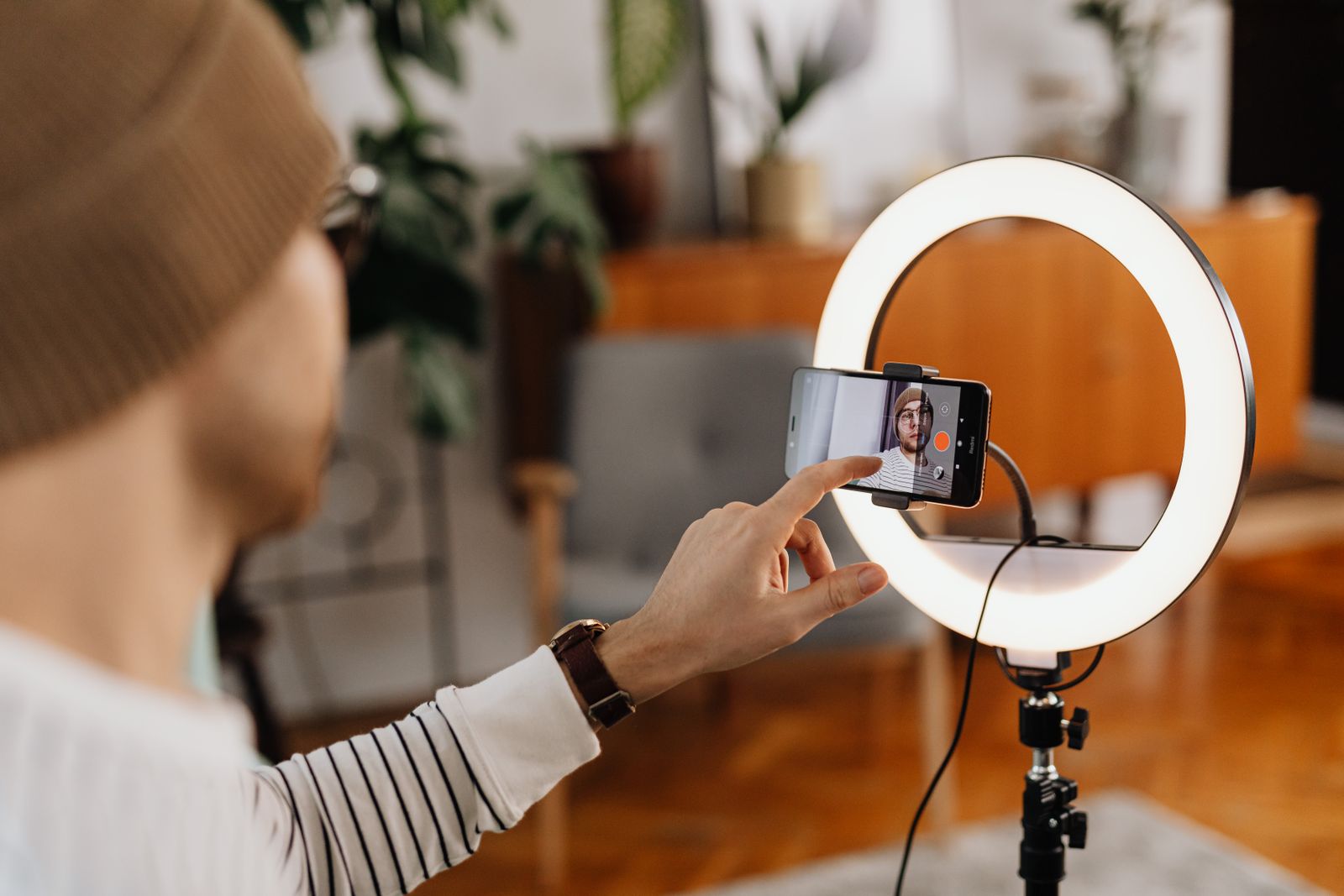
The most common additions are a small light and a microphone. A light on the rig lights the face in front of the phone wherever you point it; see LED video lights and ring lights. A microphone on the rig, or a clip-on one sending sound to the phone, makes speech far clearer than the phone's own microphone at a distance; see wireless microphones. The guide to ring lights and video lights goes into both. Clip-on lenses can sit inside some rigs as well, which the guide to clip-on phone lenses covers.
Check the rig's size against your phone in its case, and look for one that leaves the buttons, the charging port and the camera free.
Remote shutters and timers
A tripod or a stick holds the phone, but something still has to take the picture. Pressing the screen moves the phone and can blur a night shot, and it is no use if you are in the picture. There are several ways round this, and some cost nothing.
The phone's own timer
Every phone camera has a timer. On an iPhone, the camera's controls give a timer of 3, 5 or 10 seconds. Samsung phones have a timer too, and many Galaxy phones also take a photo when you say a word such as "Smile", "Cheese" or "Capture" once voice control is on, or start a timer when you show your palm to the front camera. Menus differ from model to model, so look in the camera's settings.
Buttons you already have
On an iPhone, pressing either volume button takes a photo, which is gentler than pressing the screen when the phone is on a tripod. An Apple Watch has a Camera Remote that shows what the phone sees on the watch and takes the photo, with a 3-second timer by default, as long as the watch is within Bluetooth range of the phone.
Bluetooth remote shutters
A remote shutter is a small Bluetooth button, often on a keyring, that takes the photo or starts the video from across the room. Many work by pairing with the phone like a tiny keyboard and sending the same signal as the volume button, so they work with the phone's own camera app without any extra app. They are the easiest answer for group shots, time-lapses that need starting from a distance and video of yourself. Many tripods come with one; see tripods with remotes.
Using a remote well
Pair the remote at home, not at the viewpoint. Keep it in the same pocket each time, because a small remote is easy to lose. Most run on a small coin cell or charge by cable. The government's product safety office warns that button and coin batteries can badly injure or kill a child if swallowed, and that a used one can still do harm, so keep remotes and spare cells out of the reach of young children, put used cells out of reach straight away, and go straight to A&E if you think a child has swallowed one.
If the remote will not take a photo
Most problems are simple. Check the phone's Bluetooth is on and the remote shows as connected in the phone's Bluetooth settings, not just in a list of devices seen nearby. Make sure the camera app is open and on the screen, because the remote's button does nothing in other apps, or does something else, such as changing the volume. If it worked before and has stopped, the cell may be flat or the remote may have been paired to another phone; forget it in the Bluetooth settings and pair it again. Some remotes have two buttons, one for iPhones and one for Android phones, so try the other if one does nothing.
Questions people ask
Will any tripod work with my phone?
Yes, with a phone clamp. Camera tripods use the standard quarter-inch thread, and a clamp with that thread underneath fits any of them. Check the clamp's width against your phone in its case.
Do I need a gimbal if my phone has stabilisation?
Not for everyday clips. A gimbal is for smooth video while walking, running or following someone, which built-in stabilisation cannot fully steady.
Does a Bluetooth remote need an app?
Many work with the phone's own camera app, because they send the same signal as the volume button. The product page says if a particular one needs its own app.
Can I take a selfie stick to a concert or a football match?
Often not. Many stadiums, arenas and festivals list them among banned items. Check the venue's and the event's own list before you go.
Which tripod is best for video calls?
A mini tripod on a desk, with the phone raised to eye height on a stack of books if needed. A tall tripod suits calls standing up or filming the whole body.
Can a gimbal hold a phone in a case?
Often, if the case is thin and the phone and case together are inside the gimbal's weight range. A heavy case can stop it balancing.
Where to go next
Everything for holding a phone steady is together under photo and video: mini, flexible and tall tripods, selfie sticks, gimbals, rigs and cages and remote shutters. Delivery is included in every price and tracked to your door. For the rest of the kit:
- Clip-on phone lenses and filters: wide-angle, macro and the filters that change the shot
- Ring lights and video lights: light and sound for filming
- Camera lens protectors: keeping the phone's lenses free of scratches
- Bike and motorbike phone mounts: when the phone rides with you