A phone on the handlebars turns it into a map, a cycle computer and a music player you can see without stopping. A phone mount for a bike, a motorbike, a scooter or a pram has to do three things well: hold the phone so it cannot fall, keep it where you can glance at it, and cope with bumps, rain and sun. This guide covers each kind of mount, what vibration and weather do to a phone, how to fit one, and how to ride safely with a phone in view.
Why a mount, not a pocket
Many riders keep the phone in a pocket or a bag and listen to directions through one earphone or a helmet speaker. That works, but it has limits. A pocket means stopping to check the map, and pulling a phone out at the side of a busy road is how phones get dropped, broken and stolen. A phone in a back pocket also takes the full force of a fall.
A mount puts the phone where a glance shows the next turn, the speed or the distance, without taking a hand off the bars. It keeps the phone out of a sweaty pocket on a long ride, and it lets the phone run a cycling or fitness app with the screen in view. The cost is that the phone is out in the weather, the sun and the vibration, and that it is a screen you can look at when you should be looking at the road. Both come up again below.
The Highway Code asks cyclists to avoid any action that could reduce their control of the cycle, and not to carry anything that will affect their balance or could get tangled in the wheels or the chain. A phone in one hand, or a bag swinging from the bars, does both. A mount is the safer way to have the phone with you. See bike and motorbike phone mounts.
Handlebar mounts, stem mounts and frame bags
Handlebar mounts
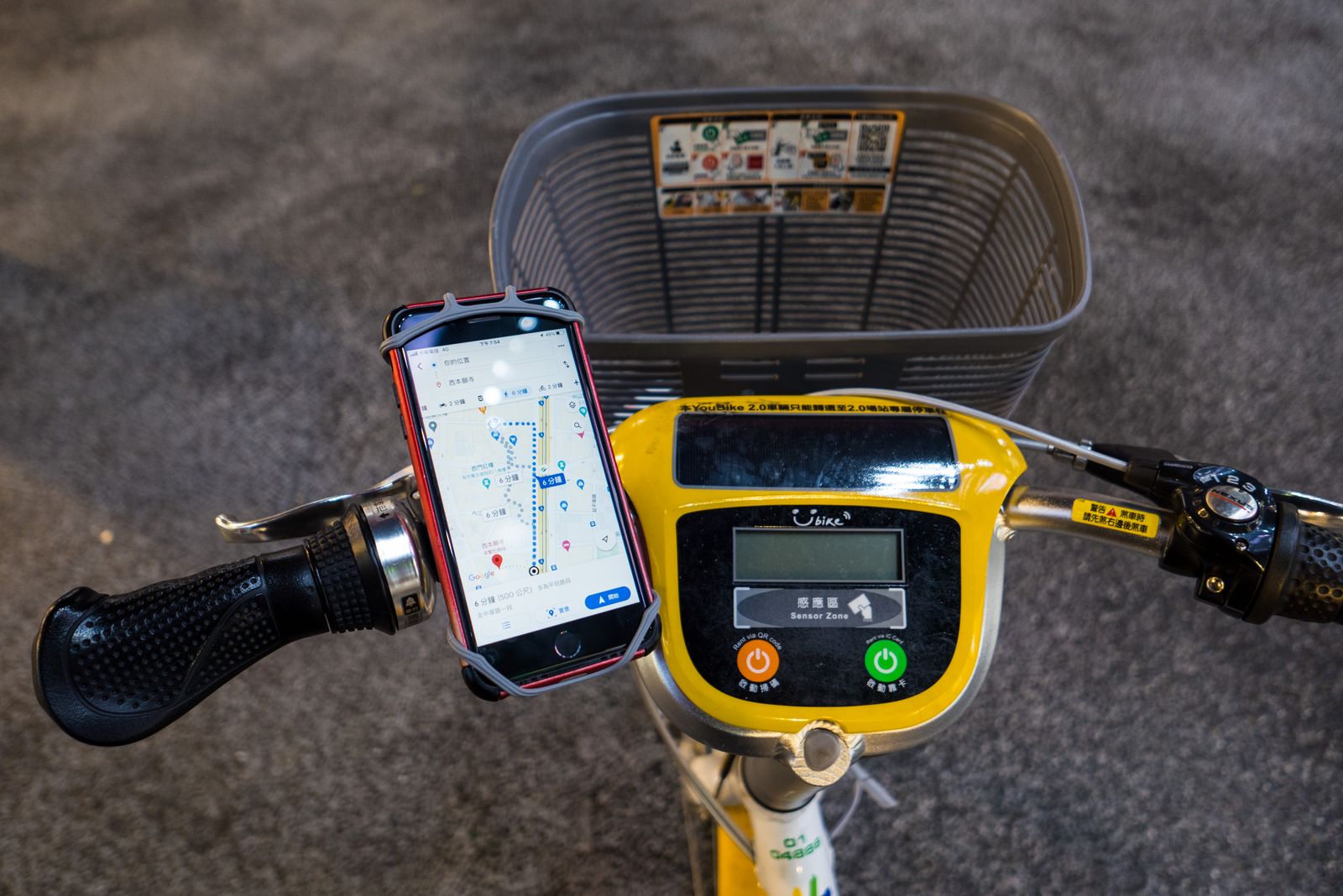
A handlebar mount fixes round the bar, usually to one side of the stem, and holds the phone in front of you. There are several ways of fixing it:
- Silicone straps. A stretchy silicone holder hooks round the phone's corners and straps round the bar. It is quick to fit, light and fits most bars, but the phone can shift on rough ground, and the corners of the silicone wear and split in time. See strap mounts.
- Clamps. A clamp tightens round the bar with a screw or a lever and holds the phone in a cradle with gripping arms or a spring frame. Clamps hold more firmly than straps and suit rougher riding. Check the range of bar sizes the clamp fits against your own bar: measure round it with a strip of paper and work out the diameter, or check the bike maker's specification. See clamp mounts.
- Quick-release mounts. A base stays on the bike, and the phone, in its own case or with an adapter on the back, twists or clicks onto it. They are quick to take on and off at the shop or café, and hold very firmly. Some use a magnetic ring as well as a lock, for phones and cases with magnets.
Stem mounts
A stem mount fits on top of the stem, the short piece between the steering tube and the bars, often in place of the cap on top. It puts the phone in the middle, close to you and low down, out of the way of lights and a bell on the bars. Bikes differ a great deal here, so check the mount suits your own stem.
Frame bags and top-tube bags
A frame or top-tube bag sits on the frame behind the stem, with a clear plastic window on top that a touchscreen works through. It holds the phone in a padded pocket out of the rain, with room for a power bank, keys and a snack, which suits touring and commuting. The screen sits lower and flatter than on a bar mount, and the clear window can steam up or reflect the sun. Check the bag fits between your knees as you pedal.
Exercise bikes and turbo trainers
For riding indoors, a holder made for gym machines straps or clamps to the bars of an exercise bike or a bike on a trainer. See gym and treadmill phone holders.
Motorbike mounts and vibration
A motorbike mount fits the handlebar, the mirror stem, or the top of the forks, and holds the phone in a cradle or a locking adapter. Motorbike mounts are built stronger than bike mounts, because they take more speed, more wind and much more vibration.
Vibration and the phone's camera
Vibration is the thing to understand before putting a phone on a motorbike. Modern phone cameras have tiny moving parts: the lens is held on springs and moved by magnets to steady the picture and to focus. Strong vibration at certain frequencies can wear those parts out.
Apple's support page on this is plain. It says long-term exposure to high-amplitude vibrations in certain frequency ranges may degrade the iPhone's optical image stabilisation and autofocus, and that it is not recommended to attach an iPhone to a motorcycle with a high-power or high-volume engine. For mopeds and scooters with small or electric engines, where the vibration is lower, it recommends a vibration dampening mount or a gimbal, and avoiding regular use for long periods. Other phones have similar camera parts, so the same care makes sense whatever phone you have.
What that means in practice
- On a big motorbike, think about a pocket or a tank bag with a clear window instead of a bar mount, and use a helmet speaker for directions.
- If you do use a mount, choose one with a vibration dampener, a rubber or spring piece between the mount and the phone that soaks up the shake.
- Fit the mount to a part of the bike that vibrates less; the mirror stems and bars on some bikes buzz more than others.
- Do not leave the phone on the bike for every ride if you do not need the map.
Magnets near the camera
Some motorbike and bike mounts hold the phone with a magnet or a metal plate. Apple advises keeping magnets and magnetic metal away from the rear camera, because they can affect the same stabilisation and focus parts. Mounts made to fit the magnetic ring on an iPhone, a Qi2 phone or a magnetic case sit on that ring, below the camera.
The law on a motorbike
The law on holding and using a phone applies to riding a motorcycle in the same way as driving a car: 6 penalty points and a £200 fine, and a lost licence for new riders. A phone in a mount for directions, set before you ride off, and a Bluetooth helmet headset are hands-free. The guide to car phone holders and the law sets out the rules in full.
Rain, sun and a phone on the bars
Rain
Many phones are water-resistant to a rating such as IP67 or IP68, but that rating is from a test in still, fresh water in a laboratory. Apple says plainly that water resistance is not permanent and may decrease with normal wear, and that liquid damage is not covered by its warranty. Rain at speed, spray from the road and water that sits in the charging port all test a phone harder than the rating suggests. Apple also says not to charge an iPhone while it is wet.
For riding in the rain:
- use a mount with a waterproof cover, or put the phone in a waterproof case or pouch that the touchscreen works through. See waterproof cases and waterproof pouches;
- keep a cable out of the charging port in heavy rain, or use a cover over the port;
- dry the phone before you charge it.
Wet screens also misread touches. Set the route before you leave, and if the screen starts to act on its own, stop and dry it. The guide to waterproof cases and IP ratings explains what the numbers mean.
Sun and heat
A phone on the bars in summer sits in direct sun, running the screen at full brightness and the maps and location all the time. That is exactly what makes a phone hot. Apple says an iPhone is made for use between 0 and 35°C, and lists direct sun and navigation in hot conditions among the things that make it overheat. When it does, charging slows or stops, the screen dims or goes dark, and a temperature warning may appear.
- Angle the phone away from the sun, or use a mount with a sun visor.
- Turn the screen brightness down a little and let spoken directions do more of the work.
- On a hot day, do not charge it on the bars as well; heat from charging and the sun add up.
- If a temperature warning comes up, stop, take the phone off and let it cool in the shade.
Cold
Below freezing, batteries lose charge quickly and the phone may shut down early. A frame bag keeps the phone warmer than a bar mount, and a power bank in the bag keeps it going. The guide to power banks covers sizes and taking one with you.
Gloves
Ordinary gloves do not work a touchscreen. Gloves with touchscreen fingertips help, but for most riding it is better to set everything before you go and not touch the phone while moving.
Scooters and prams
E-scooters
Phone mounts for e-scooters clamp round the scooter's stem or bar, like a bike mount. The law on e-scooters in the UK is particular. The government's guidance says it is illegal to ride a privately owned e-scooter on public land, and that riding one can lead to a fine, penalty points and the scooter being taken. Rental e-scooters in the official trials are allowed, but never on the pavement.
The trial guidance is also clear on phones: you must not use a mobile phone while riding an e-scooter. You may use a screen to show directions, as long as it is set up before you set off. And it says never to hang bags or other things from the handlebars. So a mount on a rental scooter is for a map you set before you go, and nothing more.
Kick scooters
Adults and children ride kick scooters on paths and in parks. A phone on a kick scooter's bar is mostly for music or a map; the same rule of setting it first and keeping your eyes on the way ahead applies.
Prams and pushchairs
A pram or pushchair holder clamps onto the handlebar and holds the phone where you can see it while you walk: for directions, a call on the speaker, or to keep an eye on the time. Choose one that clamps firmly without marking the handle, and that holds the phone securely over bumps and kerbs. Keep it to the phone: pushchair makers' instructions commonly warn that loads hung on the handle affect the pushchair's stability, so heavy bags do not belong on the same clamp. And it is still a screen to look at while you are crossing roads, so look up at the crossing. See scooter and pram phone holders.
Fitting and checking a mount
Fitting
- Read the mount's instructions and check it suits your bar size, stem or scooter before you start.
- Clean the bar where the mount goes. Rubber shims or tape that come with a clamp stop it slipping and protect the bar's finish; carbon bars need a light touch and no more tightness than the bike maker allows.
- Choose the spot. The phone should be visible with a glance down, not block your lights, bell, gear levers or brake levers, and not hit anything when you turn the bars fully either way.
- Tighten it evenly, enough that it cannot turn on the bar when you push the phone hard, and no more.
- Put the phone in with its case, if the mount is made to take one. Close the arms, lock the clip or twist it into place until it clicks.
Checking
- Pull and twist the phone hard before the first ride. If it moves in the holder or the holder moves on the bar, tighten it or use a different mount.
- Ride a short, quiet stretch first, including a bump or two, before you trust it on a long ride.
- Check the mount every few rides: straps wear, screws loosen with vibration, and silicone splits at the corners.
- For extra peace of mind, a light tether from the phone or its case to the bike catches it if the mount ever lets go. Cases with a lanyard hole make that easy.
Power on long rides
Maps and a bright screen use the battery quickly. A small power bank in a frame bag or a pocket, with a short cable, keeps the phone going on a long day. See power banks, and accessories for cyclists for mounts, cases and power together.
Riding safely with a phone in view
A phone on the bars is there to help you get where you are going, not to be read while you ride. A few habits make the difference.
- Set it before you go. Start the route, the music and the ride tracker before you move off, as the e-scooter guidance requires and as is sensible on any bike.
- Use sound. Spoken directions, quiet enough to hear traffic, mean you look at the screen only to check. On a motorbike, a helmet headset does the job.
- Glance, do not read. Look at the screen only when the road is clear, and only for a moment. If you need to read something, stop somewhere safe first.
- Silence the rest. Turn on do not disturb, so messages do not pop up on the screen.
- Keep control. The Highway Code says cyclists must not ride in a dangerous, careless or inconsiderate manner, and that is an offence under the Road Traffic Act. Riding along reading a phone is the kind of thing that can count.
- Keep the bars clear. Keep the mount from crowding your brake levers and bell, and never hang a bag from the bars to carry the phone instead.
If the phone falls off while you are riding, do not reach down for it. Pull over safely first, then go back for it.
Questions people ask
Is it illegal to use a phone on a bike?
The hand-held phone law that gives points and fines applies to drivers and to motorcyclists. On a pedal bike, the Highway Code asks you to avoid anything that reduces your control, and dangerous or careless cycling is an offence. A phone in a mount, set before you go, is the safe way to have one with you.
Will a motorbike mount damage my phone's camera?
It can. Apple does not recommend mounting an iPhone on a motorcycle with a high-power or high-volume engine, and for mopeds and small or electric scooters it recommends a vibration dampening mount and not using it for long periods regularly.
Can I charge my phone on the bars?
Yes, from a power bank or, on a motorbike, from a USB socket fitted to the bike. Keep the port dry in the rain and keep an eye on heat on a sunny day, because charging and sun together make a phone hot.
My phone is waterproof. Does it need a cover on the bars?
A cover is still worth having. The rating comes from a laboratory test, it fades with wear, and rain at speed and road spray are harder on a phone than the test. Apple does not cover liquid damage under its warranty.
Can I put a phone holder on a rental e-scooter?
The government's trial guidance allows a screen showing directions if it is set up before you set off, says you must not use a mobile phone while riding, and says never to hang anything from the handlebars. Check the rental company's own rules as well.
Where to go next
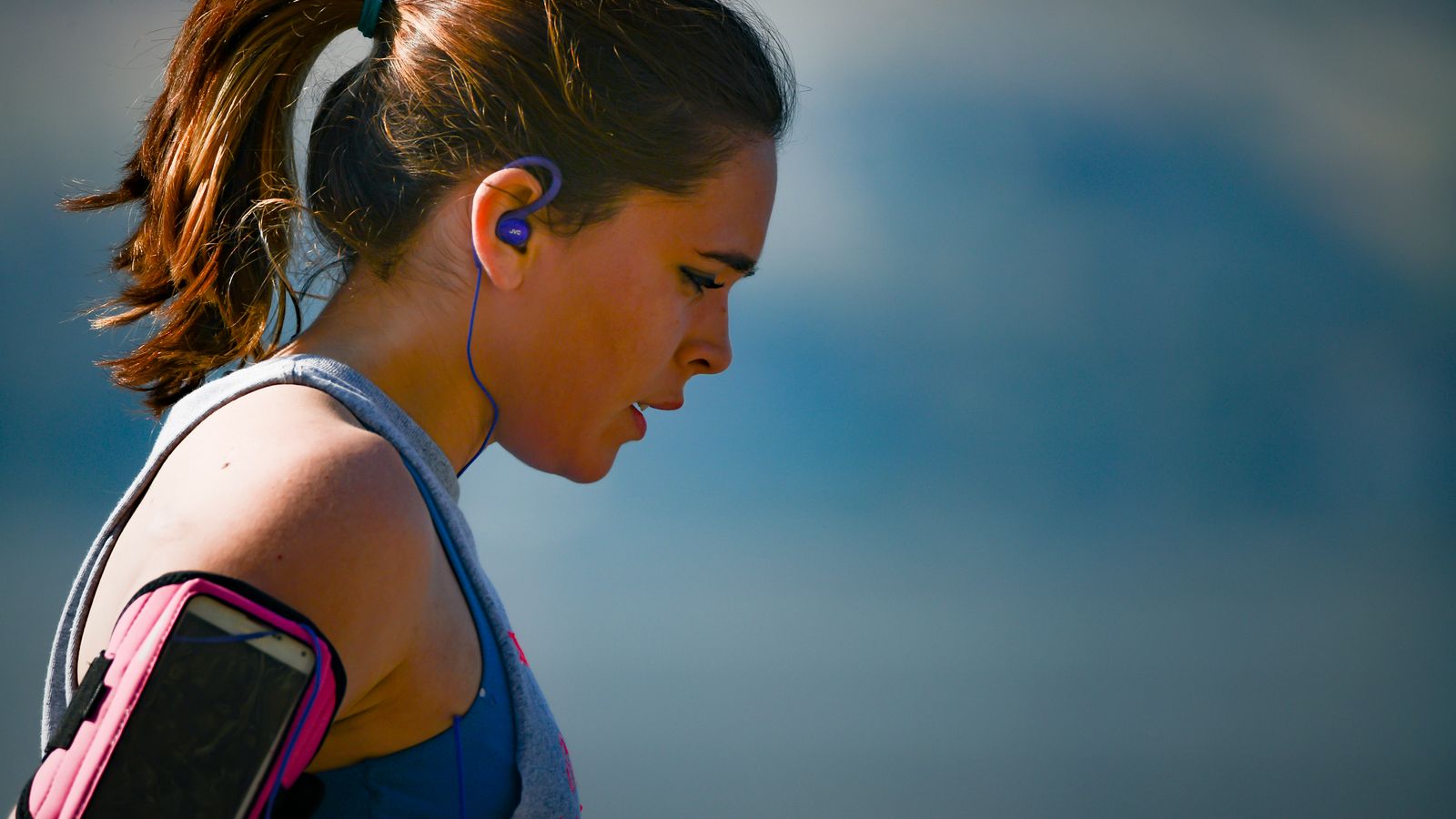
Mounts for each kind of ride have their own ranges: bike and motorbike mounts, scooter and pram holders, strap mounts and clamp mounts, with waterproof cases and running armbands for days when the phone rides on you instead. For the other parts of the choice:
- Car phone holders and the law: the phone law for drivers and motorcyclists in full
- Waterproof phone pouches, cases and IP ratings explained: keeping the phone dry
- Power banks explained: power for long rides
- Wireless and magnetic charging explained: magnetic rings, cases and mounts