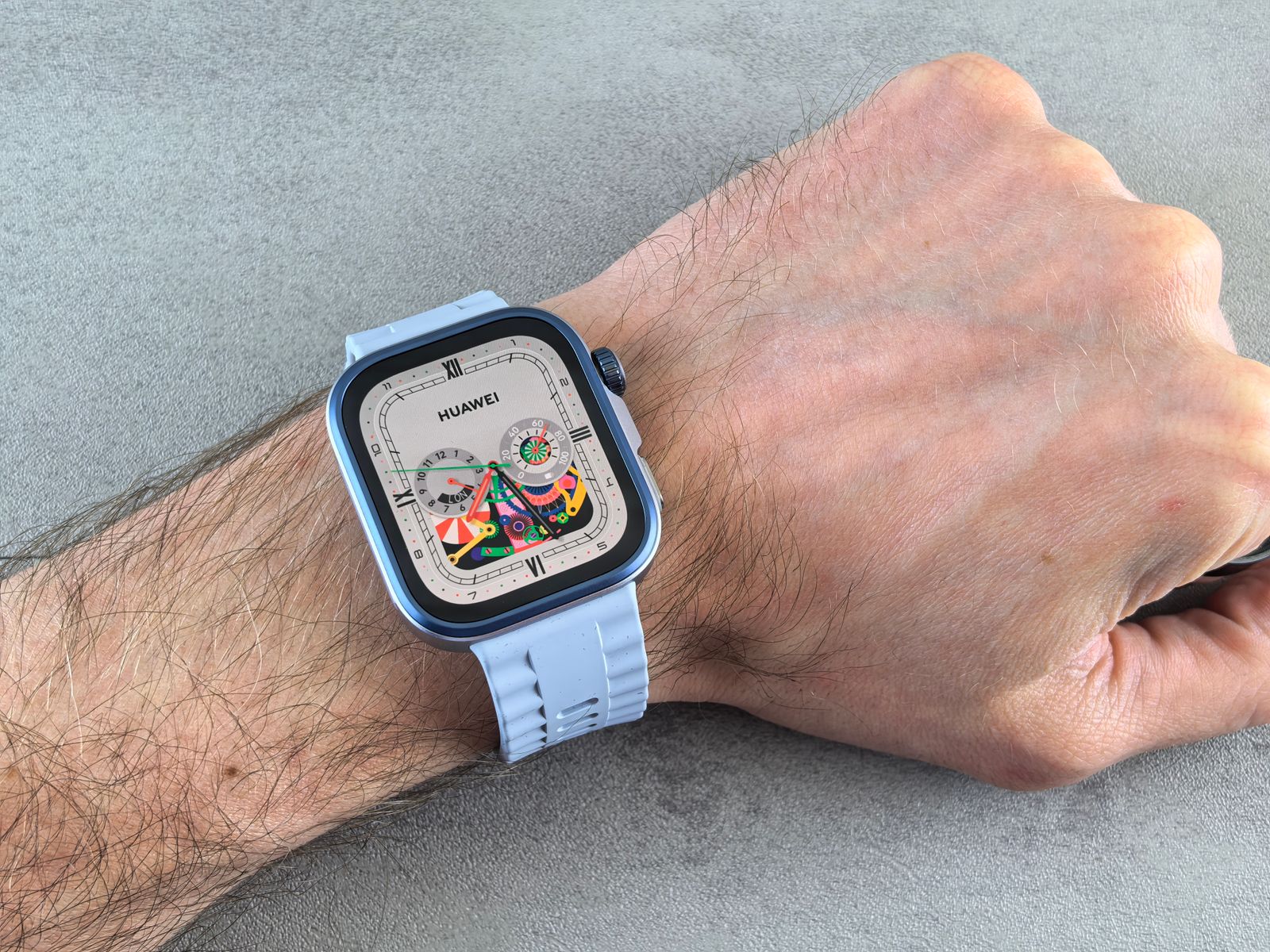
A new strap is the cheapest way to change how a smartwatch looks and feels, and the easiest place to go wrong is the size. Watch straps are made for a particular fitting on a particular range of watches, and a strap that is a millimetre out will not click in. This guide explains how to find your watch's size, which straps fit which watches according to Apple, Samsung and Google's own pages, what the materials are like to wear, and how to change a strap safely. All the straps described are compatible with these watches, not made by the watch makers.
Finding your watch's size
There are two sizes that matter: the size of the watch, which decides the fitting, and the size of your wrist, which decides the length.
The watch
For an Apple Watch, the case size is engraved on the back of the watch, Apple says, in millimetres. It is the height of the case, top to bottom. For a Samsung Galaxy Watch, the case size is in the model name or on the box, but what matters for a strap is the width of the fitting where the strap meets the watch, which Samsung gives in millimetres, set out below. For a Fitbit, the model name is what matters: Fitbit straps are made for particular models.
If you do not know which model you have, the box, the receipt or the watch's own app on your phone will name it.
Your wrist
To measure your wrist, wrap a strip of paper or a piece of string round it where you wear the watch, just above the wrist bone, mark where it meets, and measure the length against a ruler. A strap fits if your wrist measurement sits comfortably inside the range of lengths it says it covers. Straps with buckles and holes, or with a magnetic or hook-and-loop fastening, adjust across a wide range. Stretchy loops without a buckle come in set sizes, so measure carefully before choosing one.
How tight
The makers say slightly different things. Apple says an Apple Watch should be snug but comfortable, and that too tight can irritate the skin. Google says a Fitbit band should be loose enough to move back and forth on the wrist and not too tight. Samsung says a band that is too tight or too loose affects comfort and the accuracy of the sensors. The practical answer is close enough for the sensors on the back to stay against your skin, loose enough to leave no deep marks.
Straps compatible with Apple Watch
Apple Watch straps are the simplest to match, because Apple uses one sliding fitting across almost every model and sorts the sizes into two groups. Apple's own guidance is that most bands fit any Series 3 or later case of the same size, and that:
- 38mm, 40mm, 41mm and 42mm bands fit 38mm, 40mm, 41mm and 42mm cases;
- 44mm, 45mm, 46mm and 49mm bands fit 44mm, 45mm, 46mm and 49mm cases.
So a strap marked for one size fits every size in its group. To find your group, here are the case sizes Apple gives for each model:
| Apple Watch | Smaller case | Larger case |
|---|---|---|
| Series 10 and Series 11 | 42mm | 46mm |
| Series 7, 8 and 9 | 41mm | 45mm |
| Series 4, 5 and 6, and SE (all three) | 40mm | 44mm |
| Ultra, Ultra 2 and Ultra 3 | 49mm only (larger group) | |
| Series 3 | 38mm | 42mm |
The two 42mm watches
There is one trap. The 42mm case of the Series 10 and 11 is the smaller of their two sizes and takes straps from the smaller group. The older Series 3 also came in 42mm, but there it was the larger of the two sizes, and when the Series 10 came out Apple said its new larger strap also fits the old 42mm Series 3. So a 42mm Series 3 takes straps from the larger group. A strap sold today as 42mm is for the newer, smaller 42mm case, so for a Series 3 in 42mm, choose a strap for 44mm to 49mm.
Solo loops
Apple says its Solo Loop and Braided Solo Loop styles, the stretchy loops with no buckle, fit only Series 4 and later. They come in numbered sizes, so measure your wrist and read the size guide for the one you are choosing.
A note from Apple on other makers' bands
Apple's own advice on wearing its watch notes that bands not made by Apple may fit differently and may use different materials, which some people are sensitive to. That is a fair point for any strap: read what it is made of, check it clicks in and holds, and stop wearing it if your skin reacts.
What to check on a strap before choosing it
- The size group. The strap should name your case size or the group it sits in. A strap listed as 38/40/41/42mm or 44/45/46/49mm is saying the same thing Apple says.
- The wrist range. Most straps give the shortest and longest wrist they fit, sometimes as two sizes such as small to medium and medium to large. Compare it with your own measurement.
- The connectors. The metal or plastic pieces that slide into the watch are part of the strap. Their colour and finish can differ from your watch's case, which shows at the top and bottom of the face.
- The material. Read what it is made of, especially if your skin reacts to some metals or to rubber.
See every strap for Apple Watch in Apple Watch straps, split by material below.
Galaxy Watch and Fitbit straps
Galaxy Watch
Most Galaxy Watches use a standard strap width with a quick-release pin, so any strap of the right width fits. The exceptions are the newest models. Samsung gives these widths for the fitting:
| Galaxy Watch | Strap fitting |
|---|---|
| Galaxy Watch4, Watch5, Watch6 and Watch7, including Classic and Pro models | 20mm |
| Galaxy Watch3, 41mm | 20mm |
| Galaxy Watch3, 45mm | 22mm |
| Galaxy Watch Ultra | its own fitting (34mm), its own bands only |
| Galaxy Watch8 and Watch8 Classic | a new fitting, shared only between those two |
So a 20mm quick-release strap suits the Watch4 to Watch7 and the 41mm Watch3. For the Watch8, Watch8 Classic and the Ultra, choose a strap that names that model; a standard 20mm strap will not fit. Samsung also notes that some straps from other makers may not sit properly on the Watch4 series, so check the strap is fully home, as below. See Galaxy Watch straps.
Fitbit
Fitbit trackers and watches do not use a standard width; each family has its own fitting. Google's help pages describe two: the Charge 5 and Charge 6, and the Sense, Sense 2, Versa 3 and Versa 4. Straps are usually sold for the Charge 5 and 6 together, and for the Versa and Sense watches together. A Charge strap does not fit a Versa or Sense, or the other way round. Sources differ on whether every strap for the newer Versa 4 and Sense 2 sits as well on the older Versa 3 and Sense, so read the list of models on the strap and choose one that names yours. See Fitbit straps.
Silicone, sport loop, magnetic, metal, leather and nylon
Once the fitting is right, the material decides how the strap wears. Here is what each is like, in plain terms.
Silicone
Silicone straps are soft, waterproof and easy to wash, which makes them the everyday choice for exercise, swimming and sleep. They come in every colour and usually fasten with a pin and tuck, or a buckle. They can pick up lint and feel warm in hot weather; some have holes along the length to let the skin breathe.
Sport loop
Sport loop straps are a woven fabric loop with a hook-and-loop fastening, so they adjust to any point rather than to a hole. They are light, breathable and comfortable overnight. They take longer to dry than silicone and are better washed by hand now and then.
Magnetic
Magnetic straps close with a magnet in the end of the strap, often in leather-look or metal mesh, and adjust to any length. They are quick to put on and take off. Keep them away from bank cards and hotel key cards, and check the magnet holds firmly enough for what you are doing.
Metal
Metal straps come as links, which are shortened by taking links out, or as mesh, which usually closes with a magnet or a sliding clasp. They look smart and last a long time, but they are heavier and less comfortable in the gym. Link straps need a small tool to adjust; mesh needs none.
Leather
Leather straps soften and shape to the wrist with wear and suit work and evenings. They should not be soaked: Apple says not to soak its leather bands. Take a leather strap off for swimming, the shower and hard exercise.
Nylon
Nylon straps are woven fabric with a buckle, often in stripes, and wear like a sport loop with a traditional fastening. They are tough, light and dry fairly quickly.
Choosing between them
- for exercise, swimming and sleep: silicone or a sport loop;
- for work and evenings: leather or metal;
- for the quickest on and off: magnetic or a sport loop;
- for sensitive skin: read the materials, and try a fabric strap if silicone or metal irritates.
Many people keep two: a silicone or sport strap for the gym and the night, and a leather or metal one for the day.
Heat, exercise and a strap that feels tighter
Wrists are not the same size all day. Most people find a strap that is right in the morning feels tighter after a run, on a hot afternoon or on a long flight, and looser on a cold morning. Straps that adjust to any point, such as sport loops, magnetic straps and mesh, cope with this most easily: loosen a little for the evening and tighten for a workout, when the sensors need closer contact. A buckle strap with holes close together does nearly as well. Stretchy loops in a fixed size cannot be adjusted at all, which is another reason to measure carefully before choosing one, and to pick the larger size if you fall between two.
Changing a strap
Apple Watch
Apple's steps are:
- Put the watch face down on a clean, soft surface, such as a microfibre cloth.
- Hold down the band release button on the back of the watch, and slide the strap across and out.
- With the writing on the new strap facing you, slide it into the slot until you feel and hear a click.
Apple says never to force a strap into the slot. If it will not release, hold the button again and slide it left and right. Once fitted, it should not slide until you press the button; Apple says not to wear the watch if the strap slides. A link bracelet has to be separated into its two halves before it can be taken off.
Galaxy Watch with a quick-release pin
Standard 20mm and 22mm straps are held by a spring bar with a small lever on the underside of the strap:
- Put the watch face down on a soft surface.
- Slide the small lever along the bar with a fingernail, which pulls the end of the bar in, and lift the strap away.
- To fit a new one, put one end of the bar into its hole in the watch, slide the lever, line up the other end and let go.
- Pull gently on the strap to check both ends are home.
Samsung says the strap must be fully inserted and flush with the watch, or it may come off and the watch may fall. On the Watch8 and Watch8 Classic, Samsung describes lining up the band, pressing the band button and attaching it; the Classic has a rotating lug to turn first.
Fitbit
Google's steps: turn the tracker or watch over and find the latches. On the Charge 5 and 6, press the flat button towards the band with a fingernail; on the Sense, Versa 3 and Versa 4, slide the flat button towards the band; then pull the band away. To fit a new band, press it into the end until you hear or feel it snap into place.
When a strap is worn out
Straps wear faster than watches. Replace one when silicone splits or cracks, especially round the holes; when fabric frays or the hook-and-loop stops gripping; when leather cracks or stays damp; when a magnetic clasp opens on its own; or when the connector or pin moves when it should be locked. A strap that fails is how a watch ends up on the pavement, and a spare costs far less than a new watch. Keeping a second strap in a drawer also means the watch can be worn while the first one dries after washing.
Keeping a strap clean
Sweat and dirt build up where the strap meets the watch. Samsung says dirt round the pins can make a band hard to fit or remove, and to clean there regularly. Google says to wash Fitbit bands in fresh water when dirty and to dry band and wrist before putting it back on; Apple says its sport bands can be washed with mild, hypoallergenic hand soap. The guide to cleaning a phone safely covers straps along with the rest.
Cases, bumpers and screen protectors for watches
A watch is knocked against door frames, desks and walls far more often than a phone is dropped, and the screen and the edges of the case take it.
Cases and bumpers
Watch cases and bumpers fit round the watch body. A bumper covers the edges only; a full case also has a cover over the screen. They are made to one case size, so match them to the exact size engraved on the back of an Apple Watch or the model name of a Galaxy Watch. A case must leave the sensors on the back clear, and should not press on the crown or buttons.
Screen protectors
Watch screen protectors come as glass and as film. Flat glass suits flat screens; curved screens, such as most Apple Watch models, usually need film or glass made for curved edges, because flat glass lifts at the curve. Fitting one is the same job as fitting one to a phone, at a smaller size: clean the screen, line it up, press out the air. The guide to screen protectors explains the difference between glass and film, and the same points apply.
Charging and stands
Most smartwatches charge on their own charger, a puck or a cradle, and spares are useful for work or travel. Watch chargers come on a cable or as a stand, and watch stands hold the watch on its side at the bedside while it charges, which suits the night-time display on newer watches. A strap that opens out flat, such as a sport loop or buckle strap, makes a stand easier to use. The guide to wireless and magnetic charging covers watch chargers and 3-in-1 stations.
Questions people ask
Will a 41mm strap fit my 42mm Apple Watch?
If your 42mm watch is a Series 10 or 11, yes: Apple puts 38, 40, 41 and 42mm in one group. If it is a 42mm Series 3, no: that was the larger Series 3 case, and it takes straps from the 44mm to 49mm group.
Do 45mm straps fit a 46mm or 49mm Apple Watch?
Yes. Apple puts 44, 45, 46 and 49mm in the same group, so any strap made for one fits all four.
Will a 20mm strap fit my Galaxy Watch8?
No. Samsung says the Watch8 and Watch8 Classic use a new fitting that does not take bands made for earlier models. Choose a strap that names the Watch8. The Galaxy Watch Ultra also takes only its own bands.
Can I swim in my watch strap?
Silicone straps are made for it, and sport loops and nylon dry afterwards. Take leather off before swimming, the shower and hard exercise; Apple says not to soak leather bands. Rinse any strap in fresh water after the sea or a pool, and dry it and your wrist.
My skin is red under the strap. What should I do?
Take the watch off and let your skin recover. Apple says a band worn too tight can cause irritation, and that if you notice redness, swelling or itching you should talk to a doctor before wearing the watch again. When you wear it again, loosen it a notch, keep strap and wrist clean and dry, and if it continues, try a different material.
Where to go next
Every strap, case and charger for a smartwatch is in Apple Watch straps, Galaxy Watch straps and Fitbit straps, with cases and bumpers, screen protectors and chargers alongside. For the phone that goes with it:
- Wireless and magnetic charging explained: including watch chargers and 3-in-1 stations
- Screen protectors explained: glass and film, for phones and watches alike
- Phone case materials: silicone, TPU and leather, the same materials straps are made of
- How to clean your phone safely: phones, earbuds, cases and straps