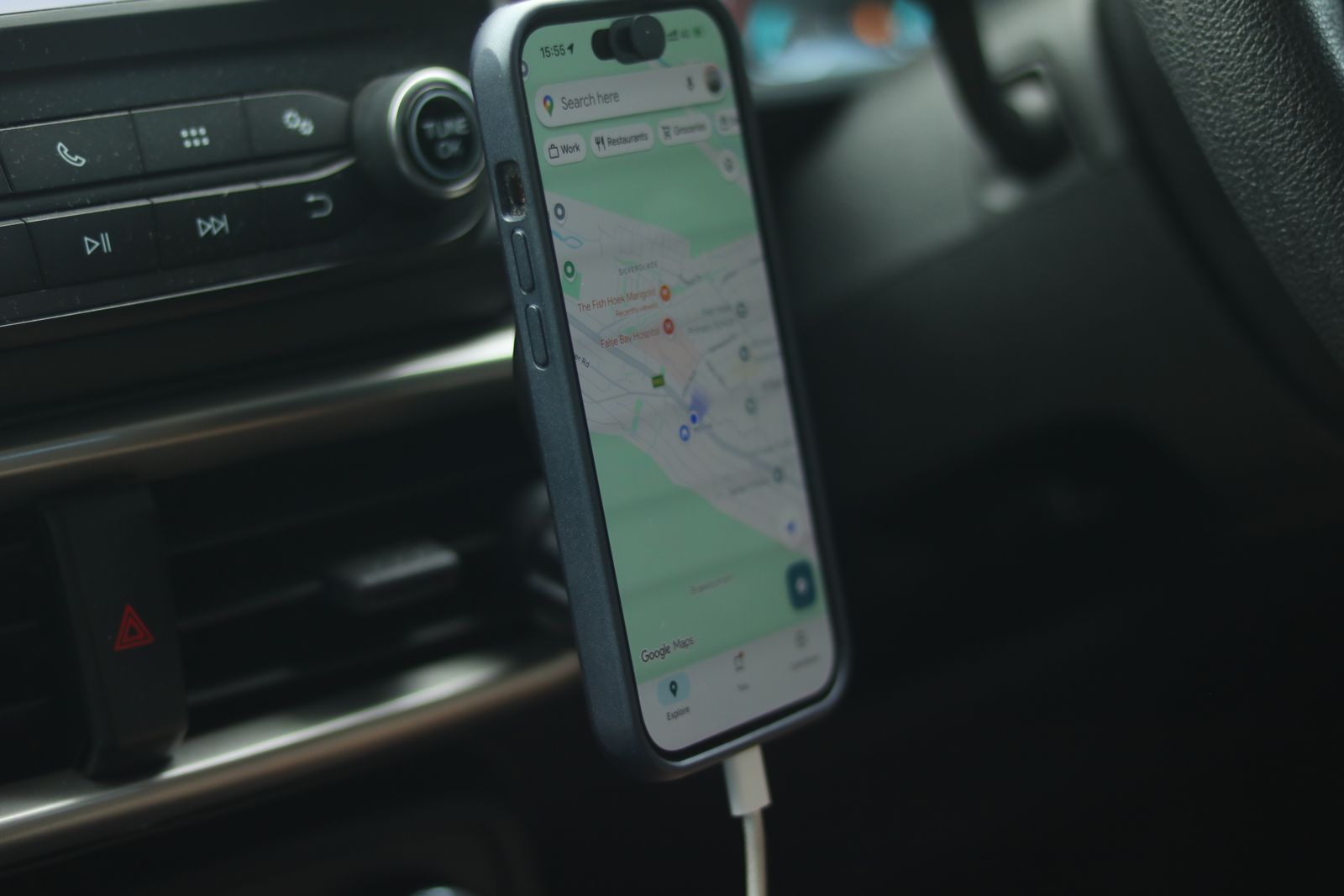
A phone in a holder in the car is how most people now use maps, and a holder is the only way to use a phone for directions within the law. Where the holder goes matters: it has to keep the phone steady, keep your hands off it, and keep it out of the way of your view of the road and of the airbags. This guide starts with what the law and the Highway Code say, then goes through each kind of holder, and ends with how to fit one where it does not block your view.
What the law says about phones in the car
The rules below are from the government's page on using a phone while driving and from the Highway Code, which covers England, Scotland and Wales. Northern Ireland has its own Highway Code, on nidirect.gov.uk.
Holding a phone is against the law
It is illegal to hold and use a phone, sat nav, tablet or any device that can send or receive data while you are driving or riding a motorcycle. That covers any use at all: calls, texts, photos, video, maps, music and scrolling, whether the phone is online, offline or in flight mode. The law still applies when you are:
- stopped at traffic lights or queuing in traffic;
- in a car whose engine switches itself off when it stops;
- supervising a learner driver, even though you are not driving yourself.
The Highway Code adds that you must not pick the phone up to dial a number and then put it in a cradle for the call.
The exceptions
You may use a phone in your hand only:
- to call 999 or 112 in a real emergency, when it is unsafe or impractical to stop;
- when you are safely parked;
- to make a contactless payment while the vehicle is not moving, for example at a drive-through;
- to park the vehicle with a remote-control parking app.
Hands-free is allowed, with conditions
You may use a phone hands-free if you do not hold it at any point. The government's examples are a Bluetooth headset, voice commands, a dashboard holder or mat, a windscreen mount and a built-in sat nav. Two conditions go with it: the device must not block your view of the road and traffic ahead, and you must stay in full control of the vehicle at all times. So set the route and the music before you set off, and if anything needs changing, use your voice or stop somewhere safe.
The Highway Code is blunter about hands-free calls: it says hands-free equipment is also likely to distract your attention from the road, and that it is far safer not to use any phone while you are driving. Rule 150 adds that sat navs and screens can distract too. The police can stop you if they think you are not in control because you are distracted, even when the phone is in a holder, and you can be prosecuted for it.
The penalties
- Holding and using a phone: 6 penalty points and a £200 fine. If you passed your test in the last 2 years, you lose your licence.
- Not having a full view of the road and traffic ahead, or not having proper control: 3 penalty points. A holder placed badly can lead to this.
- If it goes to court: you can be banned from driving and fined up to £1,000, or £2,500 if you drive a lorry or a bus.
The law and the penalties are set out on GOV.UK under "Using your phone while driving: the law", and that page is the one to check if anything changes.
Air vent holders
An air vent holder clips onto one of the slats of the car's air vent. It is the most common kind of car holder, because it fits most cars, goes on and comes off in seconds, and puts the phone at about the height of the dashboard, in reach and out of the windscreen.
What to check
- Your vents. Round vents, very thin slats and vertical slats suit some clips and not others. Look at your vents before you choose, and check the holder's listing for the vent shapes it fits.
- The clip. A hook that reaches behind the slat holds better than a plain spring clip that only pinches it, and is less likely to drop the phone on a bumpy road. A support arm that rests on the dashboard below stops a heavy phone from sagging.
- The weight. Vent slats are thin plastic. A large phone in a heavy case can pull a weak slat down or snap it. If your phone is big and heavy, a dashboard holder may suit better.
- The heater. In winter the vent blows hot air straight onto the back of the phone. A phone running maps and charging gets warm anyway, and Apple lists navigation in hot conditions among the things that make an iPhone overheat. Close that vent, or turn its flow away, while the phone is on it.
A vent holder can also block a vent you need, and in some cars the only good vent sits behind the steering wheel or too low to glance at. See air vent car mounts.
Dashboard holders
A dashboard holder sits on top of the dashboard, held by a sticky pad, a suction cup on a sticky disc, or a weighted, non-slip base. On many cars this is the best place for a phone: close to your line of sight, so a glance at the map is a short one, but below the windscreen, so it does not block the view.
What to check
- The surface. Sticky pads and suction cups hold best on smooth, flat plastic. Many dashboards are textured or curved; most suction holders come with a smooth disc to stick down first. Clean the spot with a little alcohol and let it dry before you stick anything on. See adhesive mounts.
- The arm. A short arm shakes less than a long one. A longer arm brings the phone nearer, but leave it no longer than you need.
- Heat. The top of a dashboard gets very hot in summer sun. Sticky pads can let go and leave marks, and the phone itself overheats in direct sun. Apple's advice is to keep an iPhone out of direct sun and not to leave it in the car on a hot day.
- Airbags. Check the car's handbook for where the passenger airbag comes out of the dashboard. Nothing should be fixed on its cover or in its way. There is more on this below.
A non-slip dashboard mat, which the phone simply lies on, is another hands-free option the government names. It suits a flat dashboard and a car that is not driven hard round corners. See dashboard car mounts.
Windscreen holders
A windscreen holder sticks to the inside of the windscreen with a suction cup, usually on an arm that brings the phone towards you. Suction cups hold very well on clean glass, and the arm lets you put the phone exactly where you want it. They are popular with van drivers and in cars with a sloping dashboard that nothing will stick to.
The view through the windscreen
The windscreen is also the one place where a holder can most easily break the rules. The Highway Code says windscreens and windows must be kept clean and free from obstructions to vision, and the government's page says a phone in a holder must not block your view of the road and traffic ahead. At the MOT, an obstruction that significantly affects the driver's view of the road through the area the wipers sweep is a major defect. A phone in the middle of the windscreen, or at your eye line, hides cyclists, children and cars coming out of side roads.
So, if you use a windscreen holder:
- fit it low down, at the bottom edge of the glass, or in a corner, not in the middle and not near the mirror;
- sit in the driving seat and check what it hides before you drive, including at junctions and roundabouts;
- keep the arm short so the phone does not hang in your view.
Suction cups let go in cold weather and in strong sun. Clean the glass and the cup, press it on firmly, and check it before each trip, because a phone that drops into the footwell is a temptation to reach for. See windscreen car mounts.
Cup holder and other mounts
Cup holder mounts
A cup holder mount has a base that twists or screws out to grip the inside of a cup holder, with a neck that brings the phone up. Nothing is stuck on and nothing touches the dashboard or windscreen, which suits a hire car, a lease car or a dashboard you do not want marked. The drawback is height: most cup holders are low down by the gear lever, so the phone sits further from your line of sight and you look further down to see it. A taller neck helps; check that it does not get in the way of the gear lever or the handbrake. See cup holder car mounts.
CD slot mounts
A few holders push into the slot of a car's CD player, where a car still has one. They sit in the middle of the dashboard at a good height, but they can cover controls or the car's own screen.
Clamp and clip holders
Other holders clip onto the sun visor, the edge of the car's own screen, or a grab handle. Some of these suit passengers better than drivers: a phone on the sun visor sits above your view of the road, and one on the edge of the car's screen can hide it. See clip mounts.
Holders for the back seats
Headrest holders, which clamp onto the posts of a front seat's headrest, hold a phone or a tablet for passengers in the back. They are for passengers only, and should be fixed firmly so they cannot come loose in a sudden stop.
Magnetic and wireless-charging holders
Magnetic holders
A magnetic holder has a magnet on its face, and the phone clicks onto it. There are two kinds:
- Holders for a metal plate. A thin metal plate goes inside the case or sticks to the back of the phone, and the holder's magnet grips it. They work with almost any phone, but the plate gets in the way of wireless charging. Apple also advises keeping magnets and metal plates away from the area round the rear camera, because they can affect the camera's image stabilisation and focus; it names magnetic car mounts as an example.
- Ring holders, MagSafe-compatible or Qi2. These have a ring of magnets that matches the ring in an iPhone from the iPhone 12 on, in a Qi2 phone, or in a magnetic case. No plate is needed, and the hold is made for the job.
Either way, the appeal is that putting the phone on and taking it off is one movement with one hand, done before you set off or after you stop. Check how firmly it holds with your phone and case on a bumpy road before you rely on it, and if your phone has no magnets of its own, use a magnetic case. See magnetic car mounts.
Wireless-charging holders
A wireless-charging holder has a charging coil behind the phone, so the phone charges while it shows the map, with no cable to plug in. Some grip the phone with arms that close when the phone is put in; others are magnetic and charge through the ring. The phone must be able to charge wirelessly, the coils have to line up, and a thick or metal case can stop it working. The guide to wireless and magnetic charging explains how it works and what slows it down. See wireless charging car mounts.
Power for the holder
A charging holder needs a car charger in the car's 12-volt socket, and a weak charger means slow or no charging while the screen is on. A phone running maps in a warm car may charge slowly in any case: Apple says charging slows or stops when an iPhone gets too hot. If you charge by cable instead, a short or right-angle cable keeps the wire tidy and away from the gear lever. The guide to choosing a safe phone charger covers car chargers.
Fitting it where it does not block your view
The best holder in the wrong place is worse than none. Before you fit one, sit in your normal driving position, with the seat and mirrors set, and try the phone in a few places.
Where it should go
- Below your line of sight to the road. The phone should not cover any part of the road ahead, or the view to the sides at junctions. Low on the windscreen, on the dashboard, or on a vent near the middle of the car usually works.
- Near enough to glance at. The map should be readable with a quick look, without leaning or turning your head far from the road.
- Out of the airbags' way. RoSPA, the road safety charity, advises placing a sat nav out of the way of the airbags. An airbag comes out of the steering wheel and the dashboard very fast, and anything fixed in its path can be thrown at the people in the car. The car's handbook shows where the airbags are; car makers' handbooks warn against fixing objects such as phone holders on an airbag cover or in its path.
- Clear of the controls. Keep the phone and its cable away from the steering wheel, the gear lever, the handbrake, the hazard lights and the heater controls.
- Clear of the car's own screen and sensors. Do not hide warning lights, the speedometer or the car's own display, and keep holders off the area round the mirror, where many cars have cameras and sensors for their safety systems.
Before every drive
- Put the phone in the holder, start the route and set the volume before you move off. RoSPA's advice is to enter the destination before setting off and to change it only when safely parked.
- Turn on spoken directions, so you need to look at the screen less. If an iPhone gets too hot while navigating, Apple says the screen may go dark but spoken directions carry on.
- Turn on the phone's driving focus or do not disturb, so messages do not light up the screen.
- Check the holder is firm and the phone is secure.
If the phone falls out while you are driving, leave it where it is until you can stop safely. Picking it up from the footwell is both against the law and one of the most dangerous things you can do at the wheel. For a full range of car holders in one place, see car phone holders and accessories for drivers.
Questions people ask
Can I touch my phone in a holder to change the route?
The law bans holding a phone, and a phone in a holder is not held. But you must have full control of the car and a full view of the road, and the police can stop you if they think you are distracted. Set everything before you drive, and use voice commands or stop somewhere safe to change it.
Can I use my phone at traffic lights or in a queue?
Not in your hand. The law applies when you are stopped at lights, queuing in traffic, and when the engine has switched itself off. You need to be safely parked.
Is a windscreen holder legal?
Yes. The government names a windscreen mount as a hands-free option, as long as the phone does not block your view of the road and traffic ahead. Fit it low down or in a corner, never in the middle of the glass.
Does the law apply to a sat nav as well as a phone?
Yes. The ban on holding and using a device covers sat navs and tablets as well as phones, and the Highway Code warns that sat navs can distract. A sat nav in a holder, set before you set off, is the hands-free way to use one.
Can a passenger use the phone for directions?
Yes. A passenger may hold and use a phone. The exception is someone supervising a learner driver, who is treated as the driver for this law.
Where to go next
Every kind of car holder has its own range: air vent, dashboard, windscreen, cup holder, magnetic and wireless charging holders, with car chargers to power them. For the other parts of the choice:
- Wireless and magnetic charging explained: how a charging holder works, and why a case can stop it
- Choosing a safe phone charger in the UK: car chargers and what to look for
- Bike and motorbike phone mounts: holders for two wheels, and the rules for riders
- Which charging cable does my phone need?: short and right-angle cables for the car