A charging cable looks like the simplest thing a phone needs, and it is the thing people most often buy wrongly: the wrong plug at one end, the wrong plug at the other, too short to reach the bed, or a cable that charges but slowly. This guide sets out the plugs in plain terms, which phones use which, how the cable and the charger fit together, and the kinds of cable there are, from braided to right-angled to the three-in-one cable for a house with every kind of phone.
The three plugs: USB-C, Lightning and USB-A
Almost every phone cable in use today has one of three plugs at one end or the other. A fourth, micro-USB, is still found on older phones and on small gadgets, and comes up under adapters below.
USB-C
A small, flat, oval plug with rounded ends, the same shape on both sides, so it goes in either way up. USB-C is now the plug on nearly every new phone, tablet and laptop, and on many earbud cases, watches, power banks and chargers. One USB-C cable can carry power for charging and data for moving photos, and the same cable can charge a phone or, with the right charger and cable, a laptop.
Lightning
Apple's own plug, introduced with the iPhone 5 in September 2012. It is smaller and thinner than USB-C, a flat metal tongue with no shell round it, and it also goes in either way up. Lightning was on every iPhone from the iPhone 5 until the iPhone 14 family, and on many older iPads, AirPods cases and Apple accessories. iPhones from the iPhone 15 onwards use USB-C instead.
USB-A
The older, larger, rectangular plug, which only goes in one way up. You will not find it on a phone, but it is still the plug on many older chargers, car chargers, laptops, power banks and the USB sockets built into cars, hotel lamps and plug sockets. A cable with USB-A at one end and USB-C or Lightning at the other lets a newer phone charge from those.
So when you buy a cable, you are really choosing two plugs: one for the phone, and one for whatever it plugs into.
Which phones use which
| Phone | Plug on the phone |
|---|---|
| iPhone 15 and later, including iPhone 16e, iPhone Air and iPhone 17 and 18 | USB-C |
| iPhone 5 to iPhone 14, including iPhone SE models | Lightning |
| Samsung Galaxy phones of recent years | USB-C |
| Google Pixel phones | USB-C |
| Most other Android phones of recent years, including Xiaomi and Redmi | USB-C |
| Older Android phones and some small gadgets | Often micro-USB |
Apple's support page for the USB-C iPhones says they charge with a USB-C cable and a power adapter that complies with the USB-C standard, using USB Power Delivery, and that cables and devices that do not comply may not work as expected. In practice, a good USB-C cable that charges an Android phone will charge an iPhone 15 or later in the same way. If you have an older iPhone, you need a Lightning cable; for a USB-C iPhone or any recent Android phone, a USB-C to USB-C cable or a USB-A to USB-C cable, depending on the charger.
Tablets, earbuds, watches and the rest
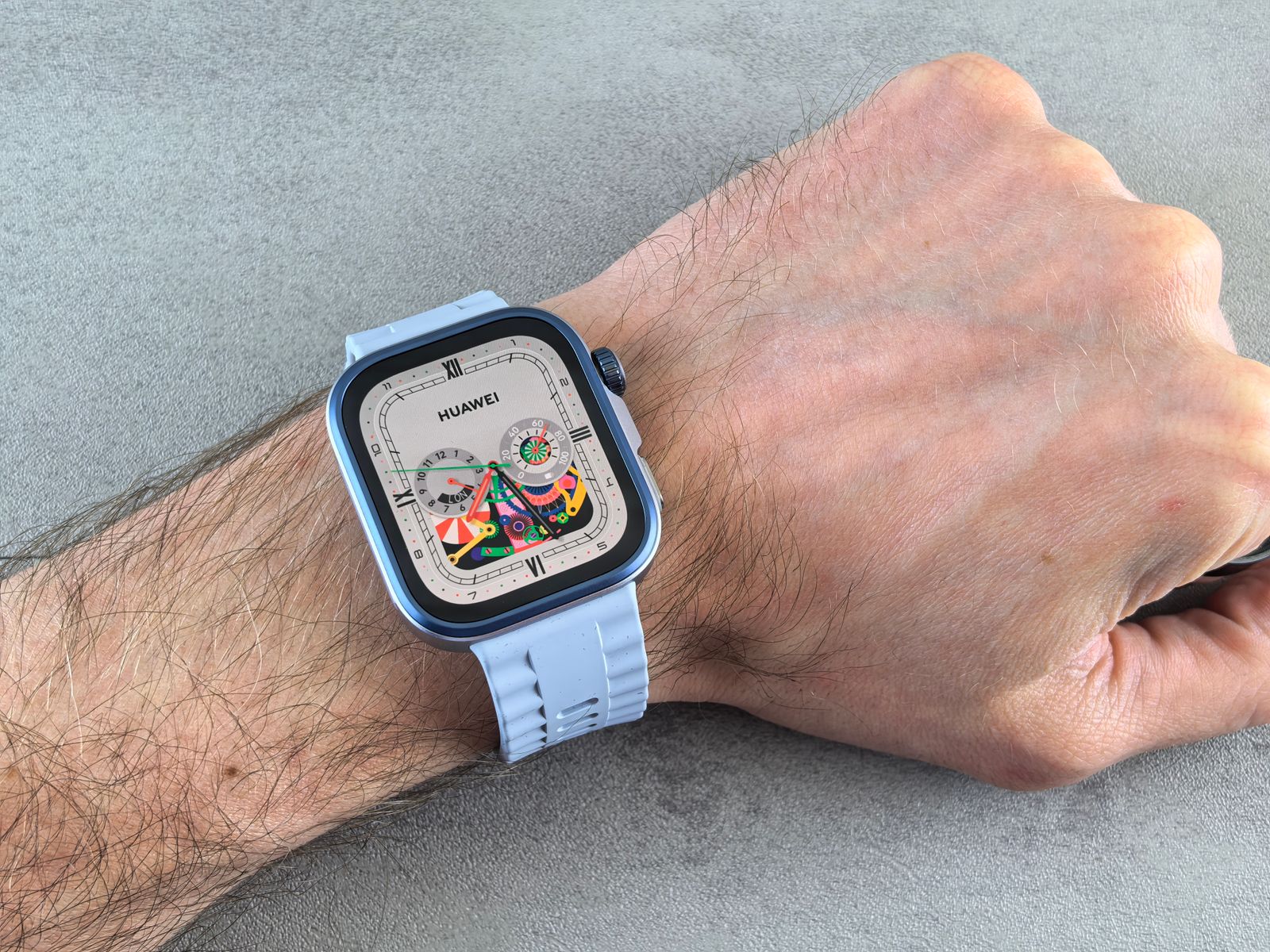
The same three plugs turn up on everything else that goes with a phone. Most tablets and iPads of recent years have USB-C, while older iPads used Lightning. Earbud charging cases vary: many have USB-C, older AirPods cases and some other Apple accessories have Lightning, and plenty of small earbuds from a few years ago still use micro-USB. Smartwatches mostly charge on a puck or cradle of their own, with an ordinary USB plug at the far end of its cable, so the watch charger needs a socket to plug into like any other cable.
The simplest way to cut down the number of cables in a house is to count the sockets. If every phone, tablet and earbud case now has USB-C, a couple of good USB-C to USB-C cables and one charger with two USB-C sockets will do for all of them. If one person still has a Lightning iPhone, add one Lightning cable or a 3-in-1 cable, rather than a drawer full of odd ones.
If you are not sure which your phone has, look at the socket at the bottom. A rounded oval is USB-C. A narrower slot with a flat bar inside is Lightning on an iPhone. A smaller, trapezium-shaped socket, wider on one side than the other, is micro-USB.
Lightning and the Made for iPhone badge
Apple runs a licensing scheme for accessories, called Made for iPhone (MFi), and certified Lightning cables carry its badge on the packaging. Apple's support page on counterfeit Lightning accessories lists the problems uncertified or fake ones can cause, among them damage to the phone, charging faults, a connector that does not fit properly and too much heat in the connector, and shows how to tell them apart by the finish of the plug. An iPhone may show a message saying the accessory may not be supported when it does not recognise a cable. If you see that, try a different cable.
The other end of the cable: the charger
The plug at the far end of the cable has to match the socket on the charger, the car charger, the computer or the power bank. Look at the charger before you buy a cable.
- A charger with a USB-C socket needs a cable with USB-C at that end: USB-C to USB-C for a USB-C phone, USB-C to Lightning for an older iPhone.
- A charger with a USB-A socket, the older rectangular one, needs USB-A at that end: USB-A to USB-C, or USB-A to Lightning.
- A charger with both can take either.
Since October 2020 Apple has not put a charger in the iPhone box, only a cable, and many other phones now come the same way. So the cable in the box may not match the charger you already have. A newer phone's USB-C to USB-C cable will not go into an old USB-A charger, and that is the commonest reason a cable "does not fit". Either buy a cable with the other plug, or a wall charger with a UK three-pin plug that has a USB-C socket.
Fast charging also depends on the charger. Apple says a 20W or higher USB-C adapter charges an iPhone faster than a smaller one, and a phone charges at the speed that the phone, the charger and the cable can all manage together, so the slowest of the three sets the pace. The guide to fast charging goes through watts, USB Power Delivery and PPS, and the guide to choosing a safe charger covers what to look for on the charger itself.
In the car
Cars are where plugs most often fail to match. Many cars have a USB-A socket on the dashboard, newer ones a USB-C socket, and some both. A socket built into the car is often meant for music and maps as much as for charging, and may charge slowly. A car charger that plugs into the 12V power socket, the old cigarette lighter, usually charges faster, and may have USB-C, USB-A or both. Check which sockets your car or car charger has before buying a cable for it, and choose a short or right-angled cable so that it does not loop across the gear stick or the controls.
When the cable decides the speed
Most USB-C cables are built to carry up to 60 watts, which is more than most phones charge at. Above 60 watts, a USB-C cable needs to be rated for 5 amps and carry a small chip in the plug, called an e-marker, that tells the charger it can take the extra power. The body that runs the USB standard, USB-IF, gives certified cables a logo showing 60W or 240W. For a phone this matters in one common case: Samsung says its 45W charging needs a 5A cable, so a Galaxy phone that supports 45W charging will charge more slowly on an ordinary cable. For other phones, a well-made USB-C cable is enough.
Length, and when shorter or longer helps
The cable that comes with a phone is usually about a metre long, which suits a desk or a plug socket at worktop height. Many people find it too short for anywhere else.
- Under a metre: short cables suit a power bank in a pocket, a car, a desk charger or a bedside dock, where a long cable would only tangle.
- A metre to a metre and a half: the everyday length for a desk, a kitchen and most rooms.
- Two metres: reaches from a wall socket to the bed or the sofa, so the phone can be used while it charges.
- Three metres and over: for rooms where the socket is far from the chair, or behind furniture.
The longer ones are together in long cables. When you choose a length, measure it: run a piece of string from the socket to where the phone will rest, along the route the cable will really take, round the bedside table and up onto the bed, and add a little for slack so the plug is not pulled tight. A cable that only just reaches is a cable that gets strained at the neck every night.
A longer cable does not have to charge more slowly. A well-made long cable charges at the same speed as a short one, though very long, very thin cables can lose a little speed. Long cables are easier to trip over and to trap in doors and under furniture, which is how most of them get damaged, so run them along walls rather than across the floor.
Braided, right-angle, magnetic and 3-in-1 cables
Beyond the plugs and the length, cables come in several kinds, each made for a particular use.
Braided cables
Braided cables have a woven outer jacket, usually nylon, over the wires, instead of plain rubber or plastic. The weave resists kinking, tangling and fraying, especially near the plugs, where most cables fail. They suit bags, cars and anyone who wraps the cable round their hand. Recent iPhones themselves come with a woven USB-C cable.
Right-angle cables
Right-angle cables have an L-shaped plug that runs along the side of the phone instead of sticking straight out. Hold the phone sideways to play a game or watch a film while it charges and the cable runs out of the way of your hand. They also suit car holders, where a straight plug can press against the holder, and tight spaces beside a bed.
Magnetic cables
Magnetic cables come in two parts: a small tip that stays in the phone's socket, and a cable whose end clicks onto the tip with a magnet. They save the socket from wear, since the plug is never pulled in and out, and the cable comes away cleanly if someone trips over it. The tip stays in the phone, so check that it does not get in the way of your case, and keep the magnetic end away from bank cards.
3-in-1 cables
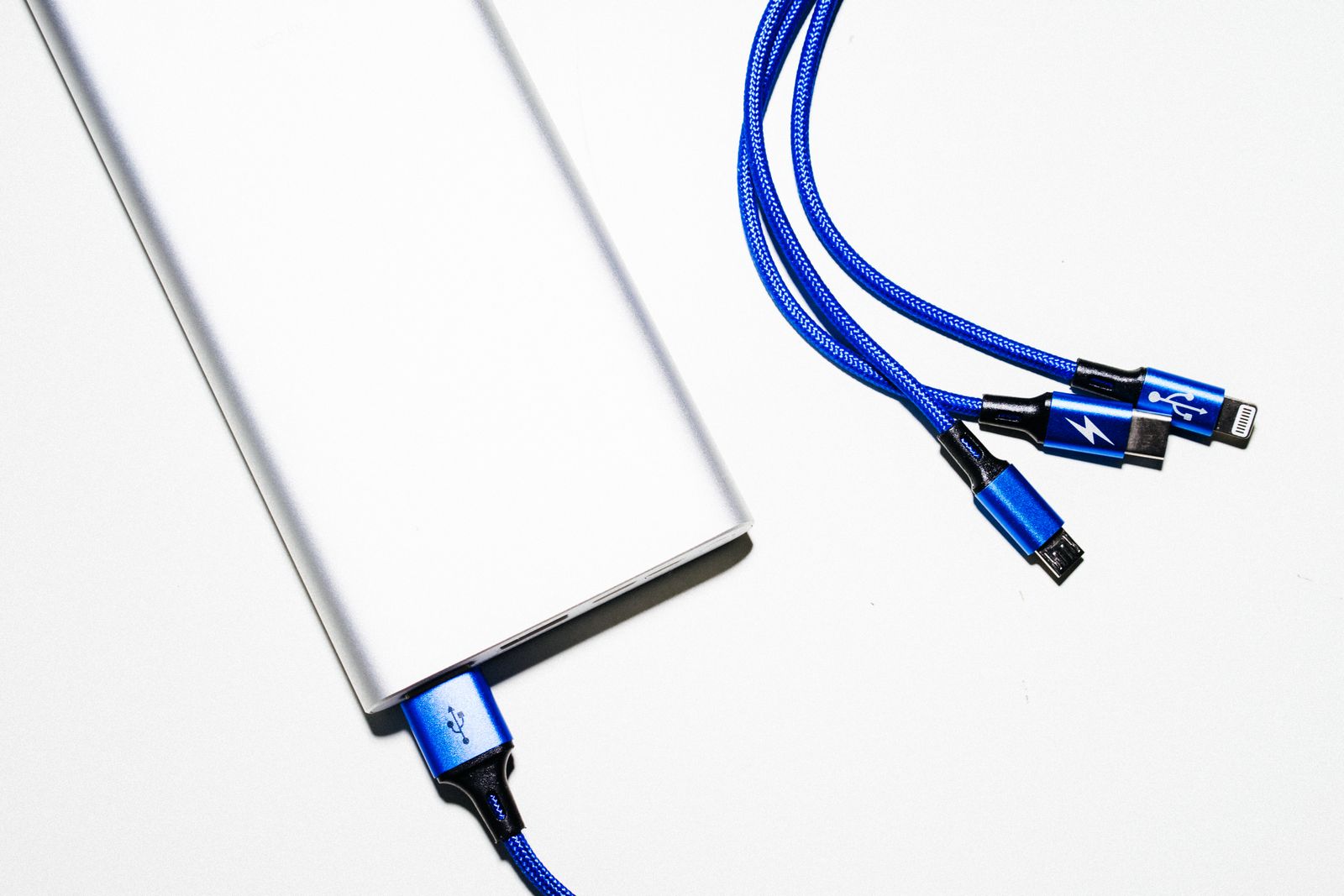
3-in-1 cables have one plug at the charger end and three at the phone end: usually USB-C, Lightning and micro-USB. They suit a house, a car or a desk at work shared by people with different phones. Most charge more slowly than a single cable, and some can charge only one phone at a time, so they are a convenience rather than the fastest way to charge.
Retractable cables
Retractable cables wind back into a small case, which suits travel and handbags. The winding mechanism is the part that wears, so they are better for occasional use than for the cable you plug in every night.
Adapters and converters
An adapter lets one plug work in another socket. They help most during the change from Lightning to USB-C, and for anything that still has a micro-USB socket.
- USB-C to Lightning adapters let a Lightning accessory, or a Lightning cable, work with a USB-C iPhone. Apple describes its own adapter as supporting power, data and audio with Lightning accessories. See USB-C to Lightning adapters.
- Headphone adapters let wired headphones with the round 3.5mm plug work with a phone that has no headphone socket, which is most phones of recent years. Apple's support page names a USB-C to 3.5mm adapter for this on its USB-C iPhones. See USB-C to headphone adapters.
- OTG adapters (On-The-Go) let you plug a USB stick, a keyboard or a card reader into a phone.
- Small converters fit on the end of a cable to change its plug: USB-A to USB-C, micro-USB to USB-C, and so on. They are handy to keep in a bag, though an adapter adds another joint that can work loose.
A USB-C iPhone can also charge small things itself. Apple says the iPhone 15 and later can charge AirPods, an Apple Watch or another small device over a USB-C cable at up to 4.5 watts, which is useful in an emergency but slow.
When a cable is worn out
Cables do not last for ever. Most fail at the neck, where the wires meet the plug, from being bent or pulled there every day. Signs that a cable is on its way out:
- the phone charges only if the cable is held at a certain angle;
- charging stops and starts, or the phone keeps showing the charging sound or symbol;
- the phone says the accessory may not be supported, when it used to work;
- the outer jacket is split, cracked or frayed, or the wires show through;
- the plug or cable gets warm, or there is a burning smell;
- the plug is bent, scorched or loose in its housing.
Samsung's advice is to stop using a cable with cracks or exposed wires at once. Do not tape up a damaged cable and keep using it: replace it. If a cable or plug ever feels hot or smells of burning, unplug the charger from the wall first and then disconnect the phone. And if a cable stops working, check the phone's socket as well; lint from a pocket packs into charging sockets and stops plugs going fully home, which looks just like a failed cable. The guide to cleaning your phone safely covers clearing it.
To make a cable last, pull it out by the plug, not the cable; do not wrap it tightly round the charger; and do not bend it sharply at the plug while the phone is in use. Cable organisers and protectors, small spiral covers and clips, take the strain off the neck and keep cables tidy.
Questions people ask
Can I use my old Lightning cable with a new iPhone?
Not directly: iPhone 15 and later have a USB-C socket. A USB-C to Lightning adapter lets Lightning accessories work with the new phone, but for everyday charging a USB-C cable is simpler.
Will an Android USB-C cable charge an iPhone 15 or later?
Yes. Apple says USB-C iPhones charge with a USB-C cable and a USB-C compliant power adapter, so a good USB-C cable from an Android phone works the same way.
Why does my new cable not fit my charger?
Usually because the cable has USB-C at the charger end and the charger has the older USB-A socket. Buy a USB-A to USB-C cable, or a charger with a USB-C socket.
Does a more expensive cable charge faster?
Not on its own. The phone, the charger and the cable together set the speed. For most phones any well-made cable is enough. The exception is very fast charging above 60 watts, and Samsung's 45W charging, which need a cable rated for 5 amps.
What is micro-USB, and do I still need it?
Micro-USB is the small, flat socket, wider on one side than the other, that was on most Android phones before USB-C. You will still find it on older phones, some earbuds, torches, speakers and other small gadgets. If you have any, keep one micro-USB cable, or a small converter on a USB-C cable, rather than replacing the gadget.
Is it safe to leave a cable plugged into the wall?
A charger left plugged in with nothing attached uses a little power. Unplugging it when you do not need it is sensible, and always unplug a charger with a damaged cable. The charger safety guide has more.
Where to go next
Every kind of cable has its own range: USB-C to USB-C, USB-A to USB-C, Lightning, 3-in-1, braided and magnetic, with wall chargers and car chargers for the other end. For the rest of charging:
- Fast charging explained: watts, USB Power Delivery and PPS
- Choosing a safe phone charger: the UK plug, the law and signs of a fake
- Power banks explained: mAh, real capacity and flying with one
- Wireless and magnetic charging explained: Qi, Qi2 and MagSafe-compatible
Delivery is included in every price and tracked to your door.